See every post in one place, as a list or a calendar
The new Posts page shows what is queued, your drafts, what has gone out and anything that needs your attention. Switch to the calendar to plan your week or month, and edit, reschedule or post anything in a click.
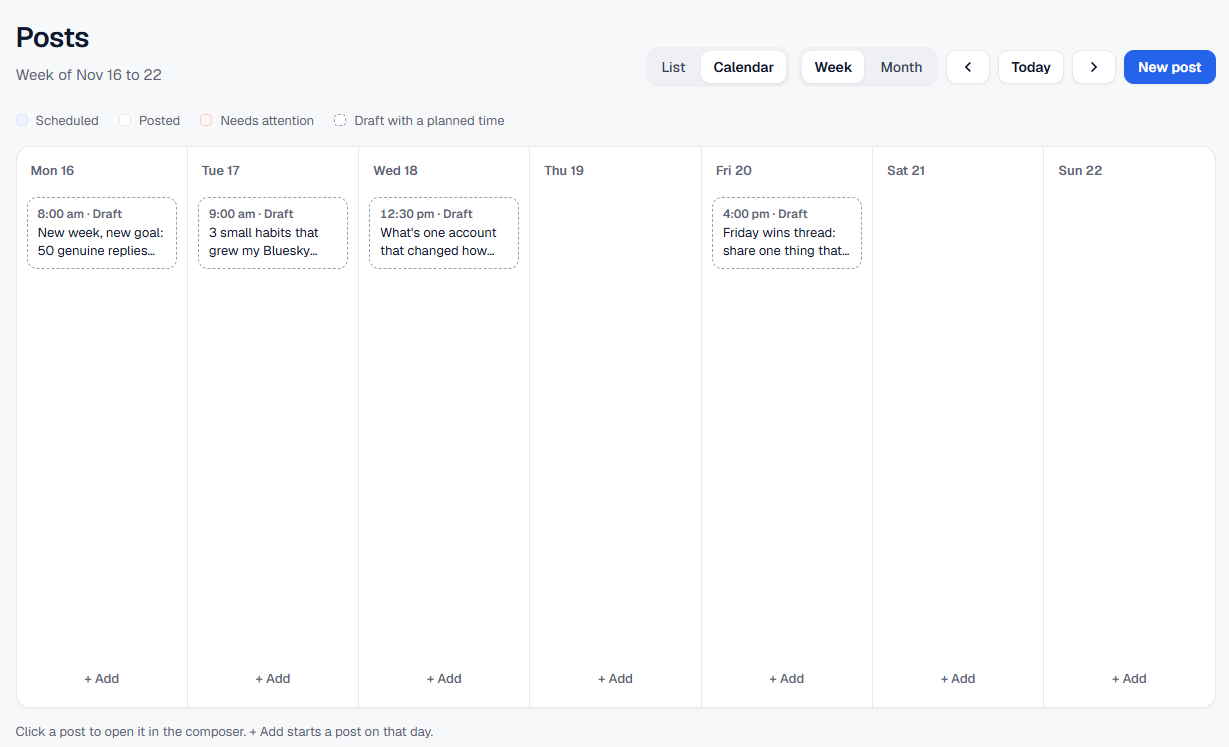
Planning your content is easier when you can see all of it. The new Posts page brings everything you write with BluePilot together.
Everything in one place
- Queue. Your upcoming posts, grouped by day, with the time each one goes out.
- Drafts. Ideas you have started but not scheduled yet.
- Posted. Everything BluePilot has published for you, with a link to see it on Bluesky.
- Needs attention. If a post could not go out, it waits here with a clear reason and a one-click retry.
Each post shows at a glance whether it is a thread, has images, a link card or a quote.
Plan with the calendar
Switch to Calendar to see your week or month laid out. Posts are colour-coded by status, so gaps in your schedule stand out. Click a post to edit it, or click + Add on any day to start a new one at that time.
Quick actions
From the list you can edit a post, post it right away, or delete a draft, without leaving the page.
Try it on your Bluesky account
Included with your subscription..